MailBridge for agencies For agencies
Create and manage end clients, pause sending, bill usage and cost per client.
As an agency you manage the mail sending of several end clients through one shared quota. Every end client gets an area of their own with their domain and their SMTP accesses, cleanly separated from the others.
Trial for agencies
The agency trial runs 30 days and covers 500 trial mails. During that time you can create up to three client projects and verify their domains. That is enough to rehearse the setup on real projects without payment being set up.
Sending for a client project only starts once its domain is verified. For client domains you must be authorised to send. Once a plan is chosen, the project cap and the trial quota disappear; the clients and accesses you set up remain.
Creating clients
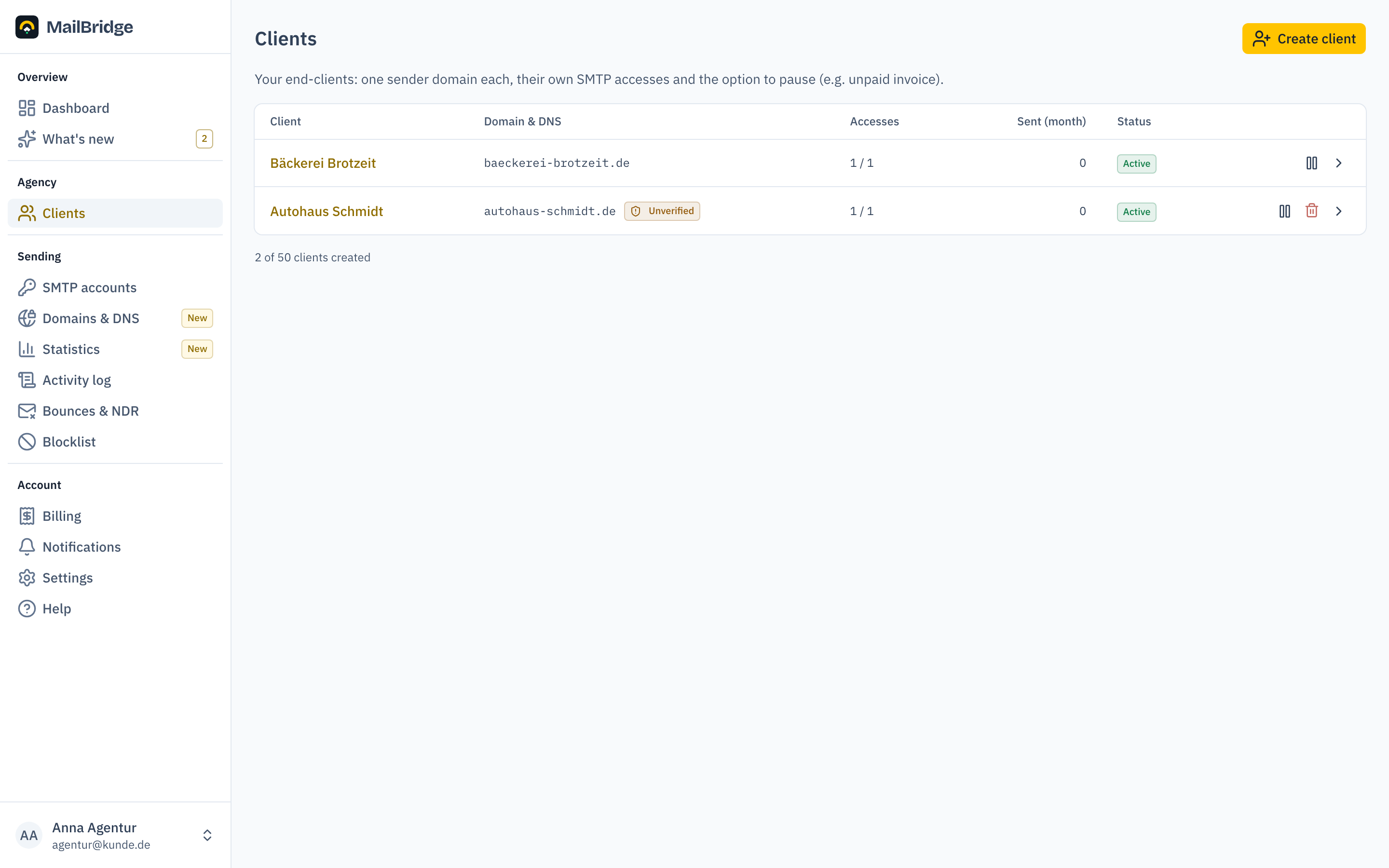
Under Clients create an entry for every end client. For agencies this is the first setup step, before the domain. Every client has exactly one sender domain; verification and DNS setup work as described in the getting-started guide.
Client page: accesses and DNS
A client's detail page bundles everything that belongs to them: their SMTP accesses (create, rotate password) and the DNS state of their domain with a found/expected comparison. You can pass the expected values straight to the client or their DNS provider.
Pausing sending
If a client does not pay or a project should rest, you pause them with one click: all their accesses are disabled on the server, the other clients keep sending undisturbed. On resuming, exactly those accesses that were active before the pause are re-enabled. Ones you blocked deliberately stay blocked.
Usage and cost per client
Under Billing you see every client's usage in the current month and their proportional cost: the effective price per mail is your monthly total divided by the booked quota, and a client's cost is that price times their usage. Unused quota is charged to no client.
For onward billing there are two CSV exports in Excel format: usage per client and the twelve-month billing. Base and pack prices are locked per month, so later price changes never rewrite history.
The twelve-month billing is no longer limited to agencies; it is open to every customer. What stays yours is the breakdown per end client.
The agency quota
The quota applies to the agency as a whole, not per client. If you exceed your booked volume by more than the tolerance, extra packs are booked automatically; at the monthly maximum sending is paused until the month turns. The current state is on the dashboard and under Billing.
Changing tier
The agency line has several tiers with rising quotas, and the larger the tier, the cheaper the individual mail. As your portfolio grows you change tier yourself under Billing, without a support ticket.
A larger tier applies immediately: the new quota is available at once and only the difference is billed for the current month. A smaller tier takes effect at the next billing date, so your paid quota stays fully usable until then. Until the change you see the scheduled tier under Billing.
If your usage is permanently above your quota, the portal suggests the matching tier by itself. Extra packs are meant for peaks, not as a permanent state.
You will find this feature in the customer portal: my.mailbridge.email, included in every plan.
No account yet? Try it free for 30 days, payment details are only needed afterwards.
Diese Seite auf Deutsch: deutsche Fassung