Dashboard
The overview after logging in: today's numbers, what needs attention, quota and DNS state.
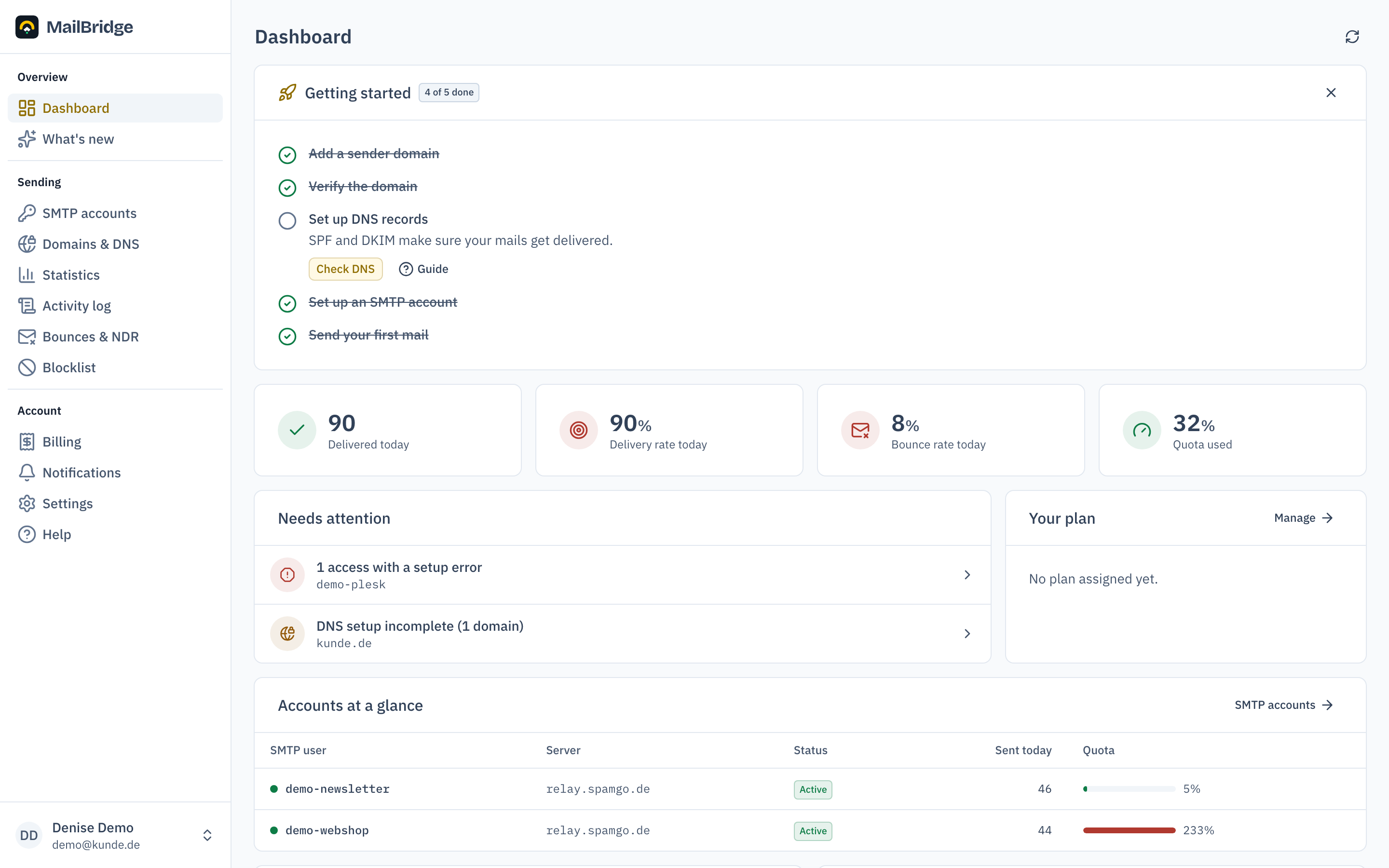
The dashboard is the start page after logging in. It answers two questions: is sending working, and is there anything to do?
Key figures
The top row shows today's numbers: delivered mail, delivery rate, bounce rate and how much of your monthly quota is used. The colours follow the state: green is fine, amber means keep an eye on it, red means act.
What needs attention
The "needs attention" card gathers everything that wants your attention in one place:
- DNS records that are missing or broken
- SMTP accesses with setup errors or blocks
- an ending trial, an open payment or a pending checkout
- quota at 80 or 100 per cent and booked extra packs
An empty card means everything is in order.
Getting-started checklist
While the setup is incomplete, the dashboard shows a checklist of the remaining steps. Each item links straight to the matching page and its guide. The card disappears by itself once everything is done.
Account health and quota
Below that follow a table with the state of every SMTP access (status, today's mail, setup state), the quota breakdown, the most common bounce reasons of the last 7 days and the DNS state of your sender domains.
Next to the overall usage, the quota card sometimes carries a red badge reading "… over individual quotas". Both are true at once: the big number sums all accesses, the badge counts the overruns per access. One access can be over its quota while others do not use up theirs. Billing is per access. If the sum stays within budget, a line below the badge says exactly that.
The sending history has moved
The two history charts used to sit at the bottom of this page. They moved to a page of their own, Statistics, together with the delivery rate, the per-account breakdown and the twelve-month look back. The dashboard now ends with a link there and answers "is everything fine" without a long scroll.
You will find this feature in the customer portal: my.mailbridge.email, included in every plan.
No account yet? Try it free for 14 days, payment details are only needed afterwards.
Diese Seite auf Deutsch: deutsche Fassung