Settings
Display name, email address, portal password, two-factor sign-in and language.
Under Settings you manage your personal portal account.
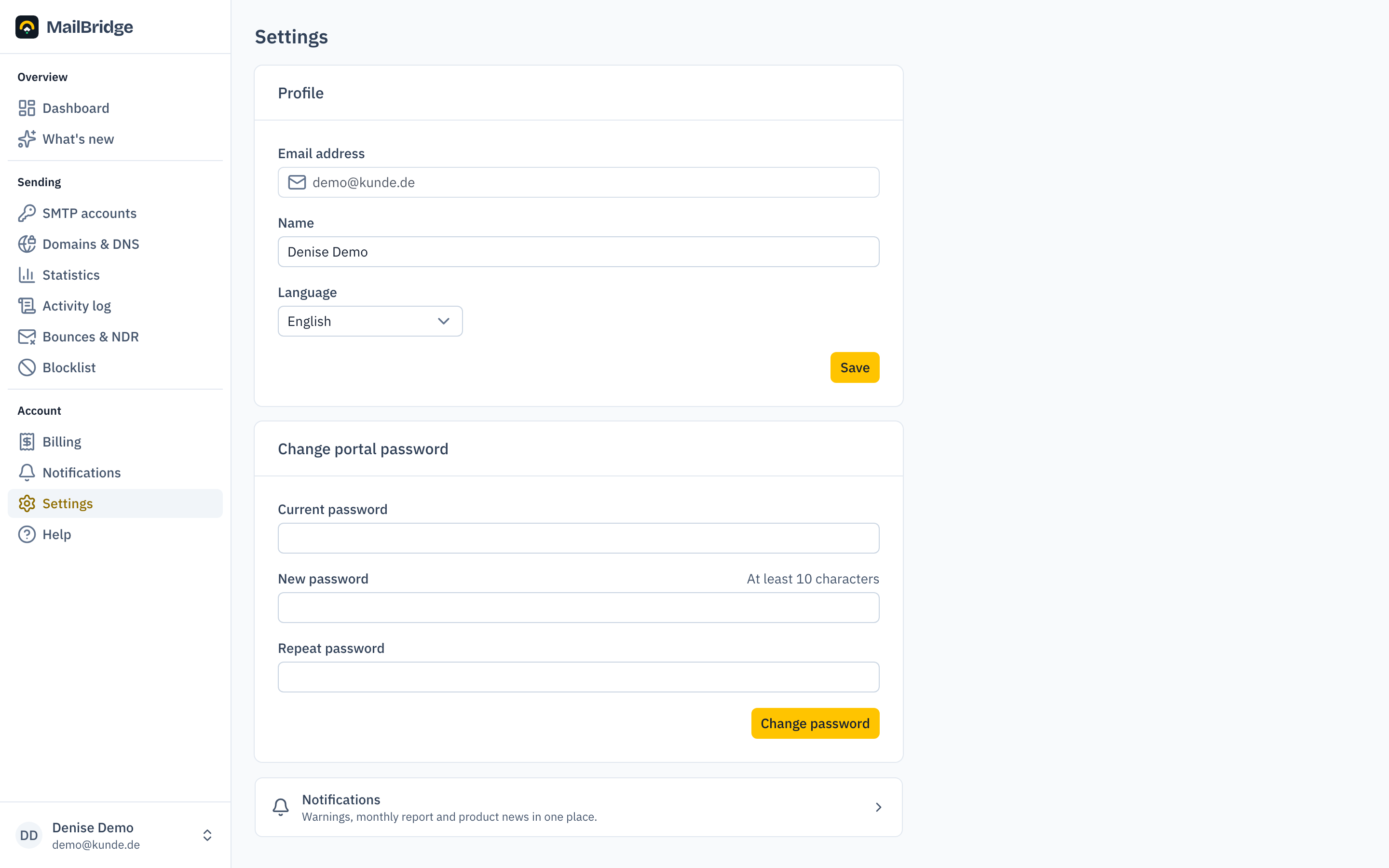
Profile and language
Here you change your display name and the language of the portal (German or English). The language can also be switched any time from the user menu at the bottom left, just like dark mode.
Changing the portal password
The portal password is your login for my.mailbridge.email. Do not confuse it with the passwords of your SMTP accounts, which devices and applications use to submit mail. To change it you need your current password.
If you have forgotten it, use "Forgot password" on the login page. You will receive a reset link at the address on file.
Two-factor sign-in
With two-factor sign-in you need a six-digit code from an authenticator app on your phone in addition to your password, for example Google Authenticator, Microsoft Authenticator, 1Password or Aegis. A stolen password alone is then no longer enough. We recommend it, especially if you send personal data through MailBridge.
To set it up:
- In the "Two-factor sign-in" card, click Set up and confirm your password.
- Scan the QR code with the app or type in the key below it.
- Enter the code the app shows.
- Save the ten recovery codes that appear next. We show them only this once.
A recovery code gets you in when your phone is not at hand. Each one works once. You create new codes in the same card; they replace all previous ones. You can turn two-factor sign-in off with your password and a code.
If you have lost both your phone and your codes, write to hilfe@mailbridge.email. We reset two-factor sign-in once we have confirmed the request comes from you.
With two-factor sign-in active, a password reset also only lets you in after the code.
Changing your email address
Your email address does two jobs at once: it is the address you sign in with, and the address invoices, monthly reports and delivery alerts go to. Both are changed together, so there is nothing to maintain twice.
How it works:
- You enter the new address and your current portal password.
- We send a confirmation link to the new address. It is valid for two hours.
- A notice goes to your previous address at the same time, so you find out if someone else started the change.
- The new address only takes effect once you click "Confirm now" in the new mailbox.
Until you confirm, nothing changes. You can cancel at any time under Settings.
After confirming you sign in with the new address. Your password stays the same, and you stay signed in on the device you confirmed with. Other devices are signed out and need a fresh sign-in.
Your SMTP accounts are not affected. The username and password for sending mail stay exactly as they are, and your sending continues without interruption.
If the notice reached your old address and the request was not yours, change your portal password. That ends the request immediately and signs out every device.
What is no longer here
The switch for product news used to sit on this page. It moved, together with the monthly report from the billing page and the new warnings, to a page of its own: Notifications. Everything MailBridge sends you on its own is now in one place.
You will find this feature in the customer portal: my.mailbridge.email, included in every plan.
No account yet? Try it free for 14 days, payment details are only needed afterwards.
Diese Seite auf Deutsch: deutsche Fassung