Notifications
Which mail MailBridge sends you on its own, and how to switch each one off.
Notifications lists everything MailBridge sends you unasked. These switches used to sit on two different pages; now they are in one place.
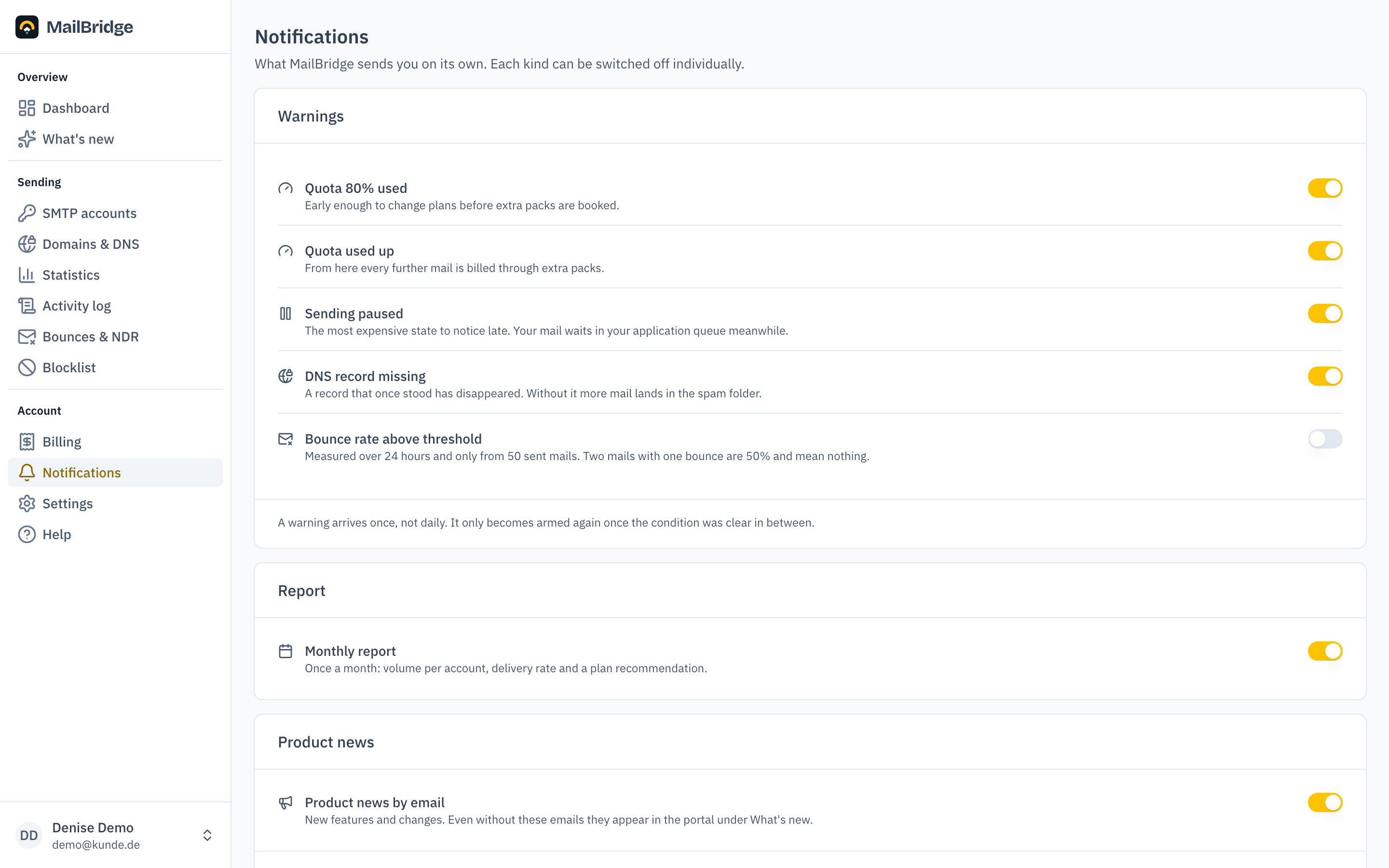
Warnings
Five messages about your own sending. Each answers a question you would otherwise only ask when it is too late:
- Quota 80 % used: early enough to change plans before extra packs are booked.
- Quota used up: from here every further mail is billed through extra packs.
- Sending paused: the most expensive state to notice late. Your mail waits in your application's queue meanwhile, nothing is lost.
- DNS record missing: a record that once stood has disappeared. Without it more mail lands in the spam folder. What to do is under Domains & DNS.
- Bounce rate above the threshold: measured over 24 hours and only from 50 sent mails. Two mails with one bounce are 50 % and mean nothing.
A warning arrives once
This is the most important property of the feature. A daily mail reading "quota at 82 %" loses all its effect within a week, and after that nobody reads the one that counts either.
So: a warning arrives exactly once. It only becomes armed again once the condition was clear in between. If your quota level drops below the threshold next month and later rises above it again, you get the warning again. While it stays up there, you do not.
The bounce threshold
This is the only warning that is off by default. It hangs on a value only you know: a transactional stream at 2 % bounces is suspicious, an old newsletter list at 2 % would be a pleasure. If you switch it on, you choose the threshold yourself.
Report
The monthly report arrives once a month and shows sending per access, the delivery rate and a plan recommendation. The same numbers are available continuously under Statistics.
Product news
The only switch on this page that concerns advertising, and the only one that applies to you personally; the others apply to the account.
Switch it off and you receive no more product mail. Operational announcements, invoice notices, password resets and the warnings above are unaffected: without them you would not learn of an interruption to your own sending. And everything the product mails would contain is on the What's new page anyway.
If your mail server refuses our mail permanently, the note about that appears here too, so you can check the address.
You will find this feature in the customer portal: my.mailbridge.email, included in every plan.
No account yet? Try it free for 14 days, payment details are only needed afterwards.
Diese Seite auf Deutsch: deutsche Fassung