Statistics
Sending history, delivery rate, per-account breakdown and twelve months of hindsight.
Statistics answers the questions there is no room for on the overview: how much went out, how well it arrived, which access carries how much, and what it looked like more than a month ago.
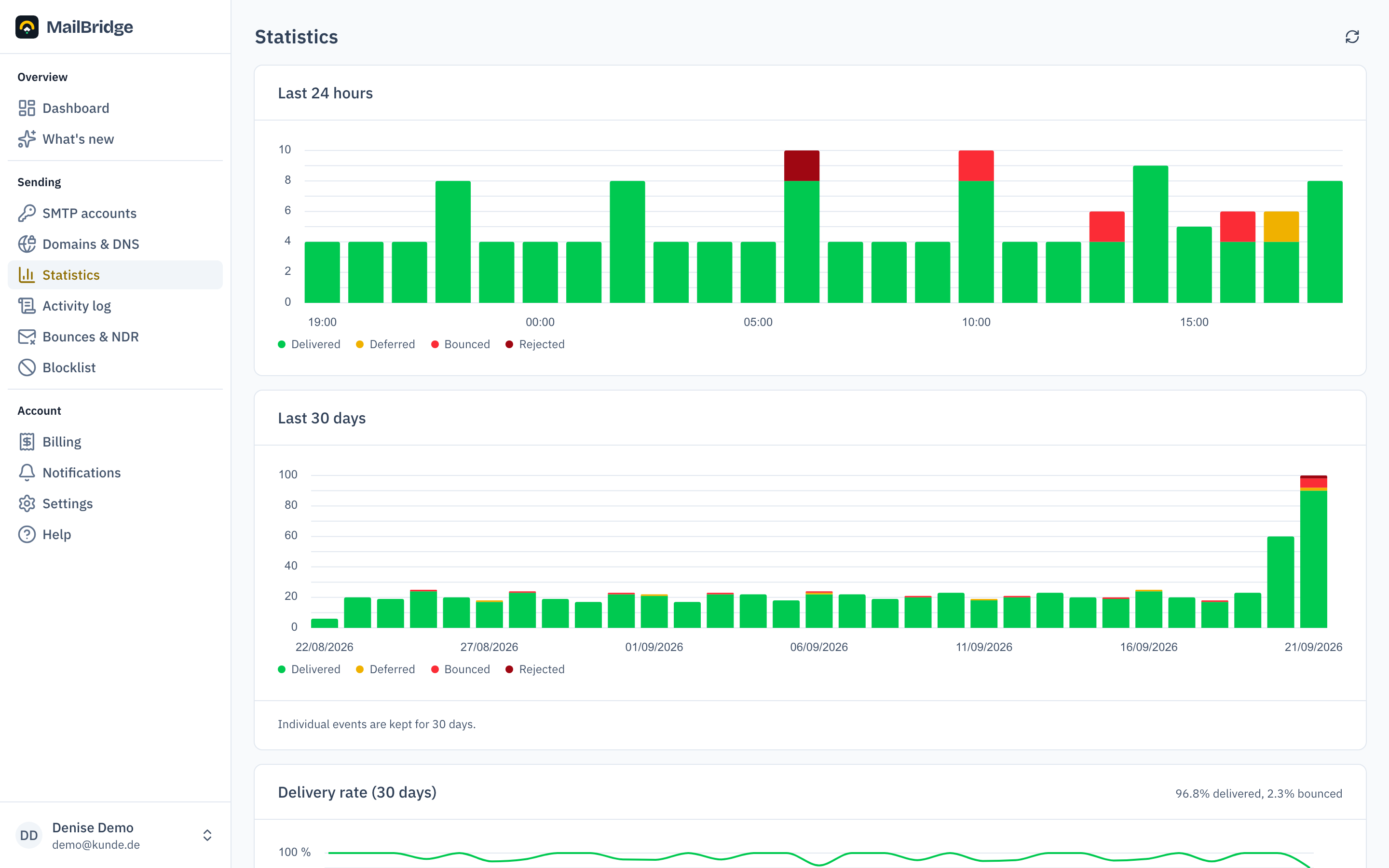
Three periods, three sources
The page states the period for every block, which matters because the numbers come from different sources and reach back different distances:
- 24 hours and 30 days come from the sending logs of the servers. They reach no further: individual events are deleted after 30 days.
- Per account is the same 30-day period, only broken down.
- Volume per month comes from billing. These numbers stay even after the logs have long expired, which makes them the only source that reaches back more than a month.
Delivery rate rather than volume
The "delivery rate" chart shows the same days as the volume chart above it, but asks a different question: not how much, but how well. A day with 40 mails and two bounces disappears in the volume chart next to a day with 4,000. Here it stands out.
Days without any sending are left out. A line at 100 % would otherwise pretend a good day on which nothing happened.
Per account
The table shows for every SMTP access how much was delivered, deferred, bounced and rejected. That tells you whether a problem affects all your sending or only one access: the newsletter, say, while the order confirmations run through cleanly.
If a server is not answering just now, you see dashes rather than zeros. "We do not know" must not look like "there was nothing".
If your volume is permanently above the quota, a note below the table points at the matching plan.
The running month
In the twelve-month look back, the current month is marked "still running". Its value comes from the hourly billing reconciliation and is therefore slightly below what the daily charts above already show. That is not a contradiction but a month that has not ended yet.
You will find this feature in the customer portal: my.mailbridge.email, included in every plan.
No account yet? Try it free for 14 days, payment details are only needed afterwards.
Diese Seite auf Deutsch: deutsche Fassung